
Trend AI - Happy Chat Anytime
Sobuj RoyEntertainment
4.6926.00 Reviews
- Version
- 1.8.8
- Installs
- 500.00K
- Age Rating
- Mature 17+
Screenshots



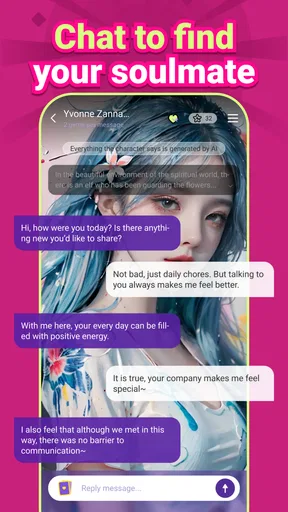
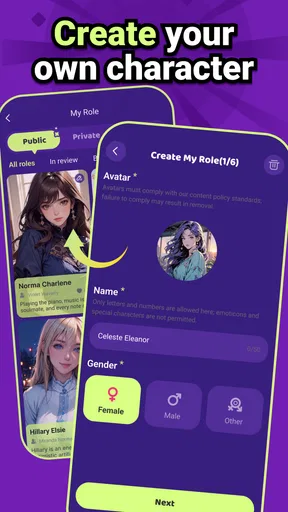
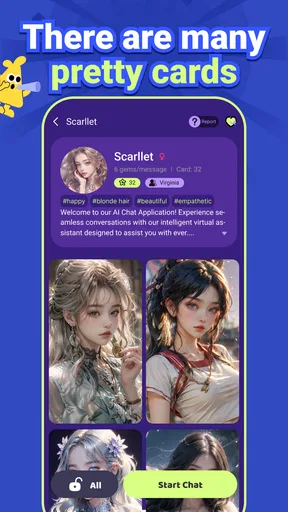
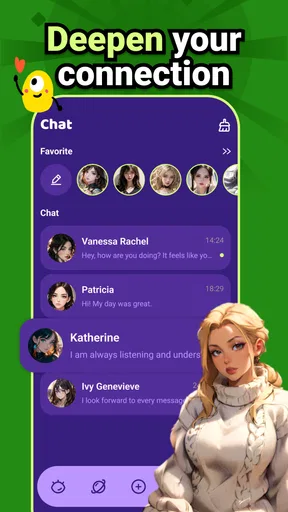
Our Review of Trend AI - Happy Chat Anytime
 Analysis by Appyee
I approached Trend AI - Happy Chat Anytime as an entertainment app rather than a replacement for a search engine, therapist, or traditional messaging service. Its main idea is simple: you start a conversation with an adaptive AI, and the exchange is intended to respond to your mood and the direction of the chat. In practice, that makes it most interesting when you want company, a creative prompt, or a low-pressure way to put thoughts into words.
My first impression was that the app is aimed at people who enjoy conversational technology but do not necessarily have a specific task in mind. You can open it when you are bored, restless, curious, or looking for a different kind of back-and-forth. That places it in a slightly different space from ordinary entertainment apps. Instead of watching something passively, you contribute a thought and receive a response that can keep the interaction moving.
The app is free to download, although it includes optional purchases ranging from $1.99 to $54.99 per item. It is published by Sobuj Roy and carries a Mature 17+ content rating, so I would not treat it as a general family app. It runs on Android 7.0 or later, and version 1.8.8 is the current version. Those details matter because the experience is personal and conversational: the right audience is an adult who understands that an AI exchange can be engaging without being the same as a human relationship.
From a spare moment to a useful conversation
I find the appeal of a conversational app clearest in the small gaps of an ordinary day: a quiet commute, a pause between tasks, or a moment when I want to think aloud without making a plan. This section looks at how I can turn that spare time into a focused exchange, then considers what makes the conversation more useful than simply opening another entertainment feed.
Starting with the right expectation
The best way to begin is not by asking Trend AI to solve everything at once. I got more value from treating the opening message as a starting condition. A vague “I am bored” can work, but a little context gives the conversation somewhere to go. Saying that I wanted a light distraction, a reflective chat, or help developing an idea created a clearer direction than sending a single keyword.
This is one of the first practical differences from a conventional entertainment app. A video platform can immediately offer a stream of content, while a chatbot waits for participation. That extra effort is also the reason the experience can feel more personal. If you are willing to supply a mood or a small problem, the app has something to react to instead of simply displaying the same type of material to everyone.
I would describe the mood-aware angle as a conversational guide rather than a clinical mood-reading system. The app can respond to the emotional tone you express, but I would still be careful about assuming that every reply understands the full situation behind your words. For casual reflection, encouragement, or imaginative conversation, that distinction is manageable. For serious emotional distress, professional support and trusted people remain the better choice.
A practical everyday workflow
Imagine opening the app after a long day when you do not want to call anyone, but also do not want to scroll through short videos. I would begin with a plain sentence such as, “I had a frustrating day and want a calm distraction.” The next step is to guide the exchange rather than waiting passively. If the response feels too cheerful, I would say so. If I wanted humor, a short story, a question game, or a more thoughtful conversation, I would name that directly.
That small adjustment is important. Adaptive conversation works best as a loop: I provide context, read the reply, correct the tone when necessary, and add one more detail. This is more effective than trying to write a perfect opening prompt. The app becomes easier to use once I treat each message as a handoff to the next stage rather than as a one-time request.
A useful habit is to separate the emotional request from the practical outcome. For example, I might first ask for a calming exchange, then ask the AI to help turn the concern into three manageable next steps. That workflow keeps the entertainment element while giving the conversation a concrete finish. It also lets me notice whether the app is genuinely helping me think or merely producing pleasant-sounding replies.
Using the app for different kinds of downtime
For light use, I would ask for a playful subject and let the AI carry some of the momentum. This suits moments when I want interaction but do not have the energy to choose a film, game, or podcast. The advantage is that I can change direction immediately. If a topic becomes dull, I can ask for something stranger, shorter, more humorous, or more challenging.
For creative work, the conversation can act as a warm-up. I might describe a character, a setting, or a problem in a story and ask for questions that expose weak points. The important trade-off is that the output should be treated as brainstorming material. I would not accept every suggestion unchanged, because conversational fluency can make an ordinary idea sound more original than it really is.
For personal organization, I found the most sensible role to be verbal sorting. Writing a messy paragraph about competing priorities and then asking for a concise summary can help reveal what the actual decision is. I would still verify the details myself, particularly if the topic involves money, health, legal matters, or another area where a confident but incorrect answer could cause harm.
Where handoffs create value
The strongest workflow is not simply “ask and receive.” It is a chain of handoffs between moods and tasks. I can begin with frustration, move into explanation, ask for a neutral summary, and finish with a small action or a lighter topic. That progression is more useful than expecting one reply to fix the entire experience.
One non-obvious tip is to tell the app when the conversation should change mode. Phrases such as “stop analyzing and keep me company,” or “now challenge my assumption,” give the exchange a clearer boundary. Without that instruction, a conversational system may continue in the style of its previous answer even after my needs have changed.
Another practical tip is to ask for a response format when the discussion becomes complicated. A short list, a comparison, a sequence of questions, or a brief role-play can make the next handoff easier. This is especially useful on a phone, where long paragraphs are tiring to read and harder to evaluate. The app’s entertainment value improves when I shape the rhythm instead of allowing every response to become equally long and serious.
What the result feels like
The outcome depends heavily on how much I contribute. When I give the conversation a clear mood and then refine it, Trend AI can feel more engaging than a static feed. It gives me a responsive space for casual talk, idea generation, and small moments of reflection. The experience is particularly suitable for someone who wants a private-feeling conversational activity without arranging a call or joining a public community.
At the same time, I would not confuse responsiveness with understanding. The app can keep a conversation moving, but that does not guarantee emotional accuracy, factual reliability, or lasting memory of what matters to me. Its success is measured by whether the exchange helps me spend a few minutes well, generate a useful angle, or reach a clearer next step—not by whether it behaves exactly like a close friend.
The public response suggests that the concept has found an audience: the app has a 4.6 average from around 15 thousand ratings and more than 500 thousand installs. I see those figures as evidence of interest rather than proof that every conversation will be satisfying. With AI entertainment, personal expectations vary widely. Someone seeking playful interaction may be delighted, while someone expecting deep continuity may be disappointed.
Where the flow breaks down
The first point of friction is the need to steer. If I want instant entertainment with no typing, a streaming service, music app, or simple mobile game is more convenient. Trend AI asks me to create the opening condition and keep supplying direction. That is a fair exchange for personalization, but it means the app is not ideal when I am mentally tired and do not want to formulate anything.
The second issue is tone. Mood-aware responses can be helpful when they match the situation, but an overly upbeat answer can feel wrong after a difficult message. I found that correcting the tone directly is better than abandoning the conversation immediately, yet that correction is still work the user must do. Anyone looking for consistently nuanced emotional support should keep expectations modest.
The Mature 17+ rating is another reason to think about fit before installing. I would not hand the app to a child or assume that a family account makes every exchange appropriate for younger users. Adults should also remember that conversational apps can invite personal disclosure. My own approach would be to avoid sharing passwords, financial details, identifying information, or anything I would not want repeated outside the conversation.
Optional purchases may also affect how different users judge the app. The free entry point makes it easy to try, but the presence of per-item purchases means I would check what is included before committing to extended use. If I only want occasional entertainment, the free experience may be enough for my needs. If I expect heavy, daily use, I would pay attention to the purchase prompts and decide whether the added value matches my habits rather than buying impulsively.
Who will enjoy it most
I would recommend Trend AI to adults who enjoy experimenting with conversational AI, want a flexible source of downtime, or like turning vague feelings into a dialogue. It is also a reasonable fit for writers, students, and curious users who understand that the app is a brainstorming partner rather than an authority. The strongest users will be comfortable giving feedback, changing direction, and judging the quality of each reply.
I would be more cautious about recommending it to someone who wants a dependable human community, a structured mental-health service, or precise research assistance. A forum is better when the goal is shared experience with real people. A specialist productivity tool is better when the task requires fixed workflows and dependable records. A search engine or reference source is better when accuracy and citations matter more than conversational flow.
There is also a difference between wanting company and wanting silence. If I am already overstimulated by screens, opening another interactive app may not improve the evening. In that situation, music, reading, walking, or a call with someone I trust could be more restorative. Trend AI is most useful when I specifically want a responsive exchange, not when I am trying to escape digital interaction altogether.
My final assessment of the complete journey
From the first message to the final takeaway, Trend AI works best when I use it deliberately: name the mood, set the desired tone, guide the handoff, and finish with either a useful action or a clean change of subject. That workflow turns a broad entertainment concept into something practical for short breaks, creative warm-ups, and low-pressure reflection.
The main strength is not that every reply will be perfect; it is that the conversation can change with me when I give it clear direction. The main weakness is the same feature viewed from the other side: the app cannot remove the need for judgment, correction, or personal boundaries. Its adaptive style makes the interaction more flexible than a static entertainment feed, but also less predictable than a purpose-built tool.
Overall, I see this free entertainment app as worth trying for adults who are curious about mood-aware AI and willing to participate in the exchange. I would keep sensitive topics out of it, avoid treating its responses as professional advice, and compare the purchase experience with how often I actually use it. With those limits in mind, Trend AI - Happy Chat Anytime offers an approachable way to turn an empty few minutes into a conversation that may entertain, clarify, or spark a new idea.
Verdict
Strengths of Trend AI - Happy Chat Anytime
- Available anytime for casual conversations and quick support.
- Simple interface makes it easy to start chatting immediately.
- Useful for brainstorming, creative prompts, and everyday questions.
- Can provide companionship when users want a responsive chat partner.
- Convenient mobile format for private, on-the-go conversations.
Limitations of Trend AI - Happy Chat Anytime
- AI responses may occasionally be inaccurate or lack important context.
- Some advanced features may require a subscription or in-app purchases.
- Conversations can feel repetitive during longer interactions.
- Privacy policies should be reviewed before sharing personal information.
- Requires an internet connection for most chat functionality.
Similar Picks in This Category
View All
Google Play Games
Google LLC3.9

Netflix
Netflix, Inc.4.8

YouTube Kids
Google LLC4.2

Disney+
Disney4.4

Prime Video
Amazon Mobile LLC4.7

Steam
Valve Corporation3.2
Frequently Asked Questions
What is Trend AI - Happy Chat Anytime, and what can I use it for?
Trend AI - Happy Chat Anytime is an AI-powered chat application designed for casual conversations, questions, brainstorming, writing assistance, and everyday support. During testing, it felt most useful for quickly generating ideas, explaining topics, rewriting text, and keeping a conversation going when you need instant interaction. It should be viewed as a helpful digital assistant rather than a replacement for professional advice or real human relationships.
Does Trend AI - Happy Chat Anytime require an internet connection?
Yes, users should generally expect to need an active internet connection because conversations are processed through online AI services. The app may open or display previously loaded content when offline, but sending new prompts and receiving meaningful replies normally depends on mobile data or Wi-Fi. If you plan to use it while traveling, check your data allowance and be aware that response speed can vary with network quality.
Is Trend AI - Happy Chat Anytime free to download and use?
The app may be available to download at no initial cost, but free access can include limitations such as daily message allowances, restricted features, advertisements, or prompts to upgrade. Before starting a subscription, carefully review the pricing page, billing period, trial conditions, and cancellation rules shown in the relevant app store. Availability and prices can also differ between Android and iOS.
Can I trust the answers provided by Trend AI?
Trend AI can provide useful and convincing responses, but its answers should not be treated as automatically correct. Like other AI chat tools, it may misunderstand a question, present outdated information, or confidently produce an inaccurate statement. For medical, legal, financial, academic, or safety-related topics, verify important details with reliable sources or a qualified professional before acting on anything the app suggests.
What privacy considerations should I know before chatting in the app?
Before using Trend AI - Happy Chat Anytime, review its privacy policy and the permissions requested on your device. Avoid entering passwords, payment details, private identification numbers, confidential work information, or sensitive personal conversations unless you understand how prompts and chat history are handled. Also check whether conversations are stored, used to improve services, synchronized across devices, or removable from within the account settings.
